
UniVirStor 4.19.6 Released: SMB Load Balancing, AD Access Control, and Firewall Management | Unified Block, File & S3 Object Storage - Ambedded
UniVirStor 4.19.6 is now generally available. This release focuses on three areas: enterprise SMB and Active Directory access control, a new CTDB LVS single-entry load balancing mode for SMB, and the new UVS Firewall Manager for subnet-based service access control. It also strengthens Ceph core storage management, S3 object storage, and system reporting and monitoring. Discover Ambedded's Ceph storage appliances and full-stack software. Pre-tuned, web UI, expert support - optimized for AI, cloud, and enterprise workloads.
UniVirStor 4.19.6 Released: SMB Load Balancing, AD Access Control, and Firewall Management
UniVirStor 4.19.6 is now generally available. This release focuses on three areas: enterprise SMB and Active Directory access control, a new CTDB LVS single-entry load balancing mode for SMB, and the new UVS Firewall Manager for subnet-based service access control. It also strengthens Ceph core storage management, S3 object storage, and system reporting and monitoring.
Because release notes were never published for 4.19.5, this announcement covers both 4.19.5 and 4.19.6 so you have the full picture of how the platform has evolved.
New CTDB LVS Single-Entry Load Balancing for SMB
Since 4.19.4, the UniVirStor SMB service has supported CTDB Public VIP for high availability: multiple Virtual IPs can be distributed across cluster nodes, and if any node fails, its VIP automatically moves to a healthy node so SMB service continues uninterrupted.
4.19.6 adds a second option — the LVS (Linux Virtual Server) mode built into CTDB, which provides single-entry load balancing. All clients connect to one external address, and CTDB distributes those connections across the nodes in the cluster. Administrators can select the network interface used by the SMB Cluster VIP and complete the LVS configuration from the UVS Manager interface.
The Two Modes Are Mutually Exclusive
CTDB Public VIP and CTDB LVS serve different design goals and carry different constraints. Choose one based on your network architecture and requirements:
| Aspect | CTDB Public VIP (since 4.19.4) | CTDB LVS (new in 4.19.6) |
|---|---|---|
| Primary purpose | High availability and failover | Single-entry load balancing |
| External IP addresses | Multiple VIPs supported | One LVS IP only |
| Network interfaces | Can bind to multiple NICs | One NIC only |
| Subnet mask | Configurable | Fixed at /32 |
| Best suited for | Environments that already use DNS round-robin or client-side distribution, where several addresses each carry traffic | Environments that should publish a single address and let the system distribute traffic across nodes |
Whichever mode you choose, both preserve the no-single-point-of-failure design principle that UniVirStor is built on.
Major Enhancements to Enterprise SMB and Active Directory Access Control
This is the largest area of change in the release. The goal is to make UniVirStor SMB services fit more naturally into an organization's existing Active Directory domain and permission governance model.
Automatic AD UID/GID Synchronization
A new SMB Share Owner setting synchronizes Active Directory UID/GID mappings to the Ceph side, keeping permissions consistent across systems.
Advanced Mask Permission Settings
Share creation and editing now support create mask and directory mask, giving precise control over the default permissions applied to files and folders created through that share — which is what least-privilege security policies require.
Samba User Mapping and Global Configuration in the Web UI
Global Configuration can now be edited directly from the UVS Manager interface rather than only from the command line. NFS and SMB nobody and nogroup mappings have also been improved, addressing user-mapping problems that arise when the same data is accessed through different protocols.
For enterprise and government customers who already run an Active Directory domain and need rigorous access governance, this round of work makes UniVirStor considerably easier to fit into an existing identity infrastructure.
New UVS Firewall Manager: Subnet-Based Service Access Control
UVS Firewall Manager, introduced across 4.19.5 and 4.19.6, lets administrators restrict which source subnets may connect to specific services in the cluster, directly from the UVS Manager interface — with no need to maintain firewall rules manually at the operating system level.
This release also completes the default firewall port configuration required by each service, reducing the risk of a service misbehaving at deployment time because a rule was missing. It is a direct answer to governance requirements in government agencies, academic institutions, and enterprise environments with network segmentation compliance obligations.
Enhanced Ceph Core Storage and CephFS Management
More Flexible Bluestore Deployment
The UI now supports configuring Bluestore device sharing, OSD deployment can specify a Bluestore path, and an issue preventing a Bluestore OSD from rejoining the cluster has been fixed.
Adjustable Pool Compression Policy
Compression algorithm and mode can now be set when creating or editing a pool, so capacity efficiency can be tuned to the characteristics of the data.
New Permission Preset Modes for CephFS Subvolumes
Creating and editing subvolumes and subvolume groups now offers permission preset modes: Private (700), Group Collaboration (770), Public (777, for Windows ACL environments), Default (755), and Custom — instead of working through the permission matrix checkbox by checkbox.
Improved S3 Object Storage (RGW) Management Experience
Independently Configurable Index Pool
When adding a placement pool to an RGW zone, you can now either reuse an existing index pool or create a new one with a specified CRUSH rule. This makes it possible to place the index pool on NVMe or SSD while the data pool uses HDD, matching storage media to actual workload characteristics.
Simplified Workflows
Opening the RGW page now loads the default site information (realm, zonegroup, zone) automatically, so single-site deployments no longer need to reselect it every time. Buckets created through UVS Manager also appear in the list immediately, without having to switch user type and user first.
Comprehensive Upgrade to Reporting, Monitoring, and Alerting
Redesigned Scheduled Reports
Scheduled reporting has moved from a single configurable report to multiple report jobs, each with its own recipients, report types, and delivery time. Six reporting periods are supported:
| Period | Data covered | Sent |
|---|---|---|
| Daily | Previous day, 00:00 to 24:00 | Next day at the configured time |
| Weekly | Previous Monday through Sunday | Every Monday |
| Monthly | 1st to the last day of the previous month | 1st of each month |
| Quarterly | The three full months of the previous quarter | First day of each quarter |
| Half-Yearly | The previous half-year | First day of each half-year |
| Yearly | January 1 to December 31 of the previous year | January 1 each year |
Reports are sent at the configured time in the time zone of the UVS hosts, and the data range of each report is calculated in UTC. The custom report workflow has been adjusted as well: you choose the date range and the recipients for each custom report.
Report Retention Policy
Each report job keeps only the most recent report file on the UVS host; a newly generated report overwrites the previous file of the same type. Long-term archiving of historical reports should therefore rely on the recipients' mailboxes.
Alert Severity Levels and Delivery Status
UVS Alert Manager now supports alert severity levels, and shows for each event whether an email was triggered and what the outcome was. This helps teams triage by severity, and makes it far easier to answer the question of why a particular alert never arrived.
More Flexible Notifications
Each report job has its own recipient list, separate from the alert notification list. The SMTP password is now optional, so UVS can send through mail servers that do not require a password, such as an internal mail host on port 25.
Expanded Monitoring Coverage
New Prometheus alerting rules cover Samba container readiness, CTDB node health, and Active Directory connectivity, and include exporter-down detection — so a service stopping entirely no longer results in the silent failure of no alerts at all.
Built-In Grafana Upgraded To 13.1.1
This addresses known security vulnerabilities in the previous version. For enterprise and government customers who produce audit or operations reports on a schedule and have vulnerability management obligations, this round of reporting and alerting work is particularly relevant.
Stability and Security Hardening
This release includes several stability improvements: the management database (Galera Cluster) can now recover automatically after a service interruption, system restore and container redeployment workflows are more robust, and authentication between internal services has been strengthened.
Network Bonding Default Changed To Active-Backup
To achieve load balancing on the receive path, the previous balance-alb mode intercepted and rewrote the source MAC address in ARP replies. This caused a single IP to map to several MAC addresses in the switch FDB, triggering MAC flapping alarms; in severe cases it caused an STP topology change and several seconds of network outage, and in EVPN or VXLAN environments the MAC-IP binding would keep flapping. Switching the default to Active-Backup avoids this class of problem.
Frequently Asked Questions
▾What are the main updates in UniVirStor 4.19.6?
There are three headline changes: a new CTDB LVS single-entry load balancing mode for SMB, major enhancements to enterprise SMB and Active Directory access control, and the new UVS Firewall Manager for subnet-based service access control. The release also strengthens Ceph core storage management, the S3 object storage management experience, and reporting, monitoring, and alerting.
▾What is the difference between CTDB Public VIP and CTDB LVS, and which should I choose?
They serve different purposes and only one can be used at a time. CTDB Public VIP (supported since 4.19.4) is about high availability and failover: multiple VIPs, binding to multiple NICs, and a configurable subnet mask. CTDB LVS (new in 4.19.6) is about single-entry load balancing: one LVS IP, one NIC, and a subnet mask fixed at /32. If you already have DNS round-robin or client-side distribution in place, Public VIP is the better fit; if you want to publish a single external address and let the system distribute traffic, choose LVS mode. We recommend discussing your actual network architecture with the Ambedded technical team before deciding.
▾Why do these release notes also cover 4.19.5?
Release notes were never published for 4.19.5. So that customers have the full picture of how the platform has evolved, we have combined the 4.19.5 and 4.19.6 updates into one announcement. Several capabilities were completed incrementally across both versions — UVS Firewall Manager and the SMB access control work among them — and describing them separately would make them harder to follow.
▾What can UVS Firewall Manager do?
Administrators can restrict which source subnets may connect to specific services in the cluster, directly from the UVS Manager interface, without maintaining firewall rules manually at the operating system level. This release also completes the default firewall port configuration required by each service, reducing the risk of a service misbehaving at deployment time because a rule was missing. It is particularly applicable to government agencies, academic institutions, and enterprise environments with network segmentation compliance requirements.
▾Which reporting periods are supported, and how long are reports kept?
Six periods are supported: daily, weekly, monthly, quarterly, half-yearly, and yearly. Multiple report jobs can be created, each with its own recipients, report type, and send time. Reports are sent in the time zone of the UVS hosts, and the data range is calculated in UTC. On retention: each report job keeps only the most recent report on the UVS host, and a newly generated report replaces the previous one, so long-term archiving should rely on the recipients' mailboxes.
Upgrade and Support
That covers the full set of updates in UniVirStor 4.19.5 and 4.19.6. We recommend that all customers plan an upgrade, particularly environments that need SMB single-entry load balancing, Active Directory integrated permission management, or that carry network security compliance obligations — those will feel the benefit of this release immediately.
If you are evaluating whether to run your SMB service on CTDB Public VIP or CTDB LVS mode, the Ambedded technical team is happy to advise based on your network architecture and client distribution. Existing customers can contact Ambedded support to receive the update package and upgrade guidance. To discuss an upgrade plan or learn more about any capability in this release, please get in touch, email service@ambedded.com.tw, or visit the UniVirStor enterprise Ceph software-defined storage product page.
About Ambedded Technology
Founded in 2013, Ambedded Technology is a technology provider specializing in Ceph software-defined storage. Combining deep knowledge of open source software, Ceph distributed storage, embedded Linux, and Arm-based architecture, Ambedded delivers Ceph storage solutions ranging from software-only to turnkey appliances, together with Ceph consulting, professional services, and seamless updates — helping enterprises, government agencies, and academic institutions build scalable, highly reliable storage infrastructure at a lower total cost of ownership.
- Related Products
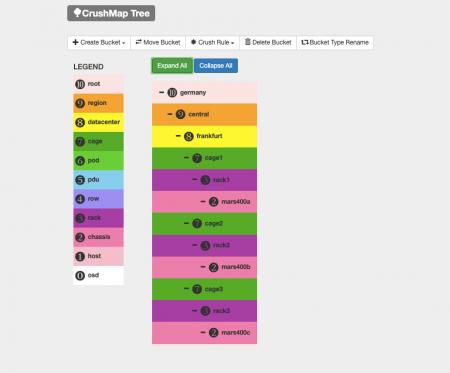
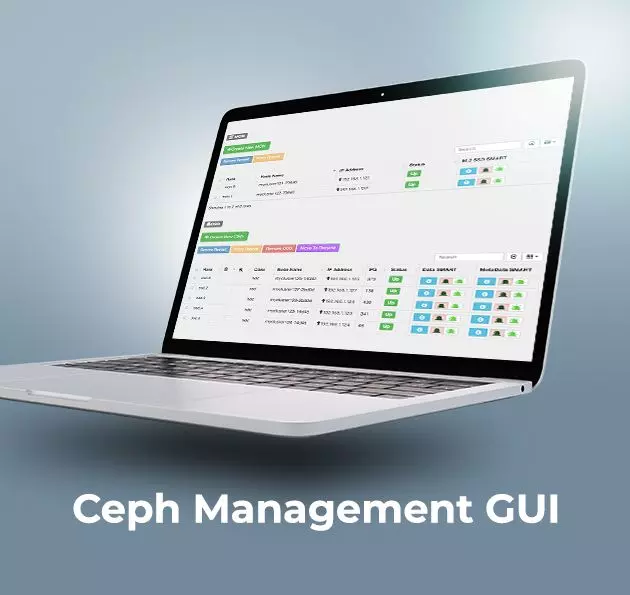
Ceph Management Web User Interface (UVS Manager)
Unified Virtual Storage (UVS) is a software package that integrates Linux operating system, Ceph distributed storage software, management console, and the web-based...
Details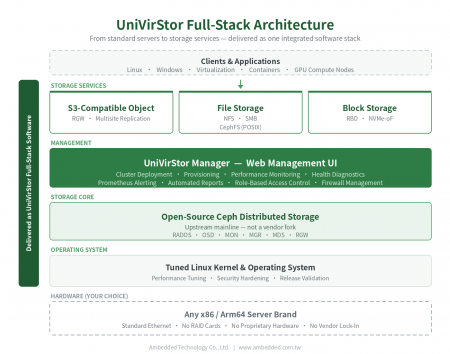
UniVirStor Enterprise Ceph Software-Defined Storage
UniVirStor is Ambedded's full-stack enterprise Ceph software-defined storage. It integrates a tuned Linux kernel and operating system, Ceph storage software,...
Details
Hot Products

 Download
 UniVirStor 4.19.6 Released: SMB Load Balancing, AD Access Control, and Firewall Management | Ceph Storage Solutions; Ceph Appliances & Software|Ambedded
Founded in Taiwan in 2013, Ambedded Technology Co., Ltd. is a leading provider of block, file, and object storage solutions based on Ceph software-defined storage. We specialize in delivering high-efficiency, scalable storage systems for data centers, enterprises, and research institutions. Our offerings include Ceph-based storage appliances, server integration, storage optimization, and cost-effective Ceph deployment with simplified management.
Ambedded provides turnkey Ceph storage appliances and full-stack Ceph software solutions tailored for B2B organizations. Our Ceph storage platform supports unified block, file (NFS, SMB, CephFS), and S3-compatible object storage, reducing total cost of ownership (TCO) while improving reliability and scalability. With integrated Ceph tuning, intuitive web UI, and automation tools, we help customers achieve high-performance storage for AI, HPC, and cloud workloads.
With over 20 years of experience in enterprise IT and more than a decade in Ceph storage deployment, Ambedded has delivered 200+ successful projects globally. We offer expert consulting, cluster design, deployment support, and ongoing maintenance. Our commitment to professional Ceph support and seamless integration ensures that customers get the most from their Ceph-based storage infrastructure — at scale, with speed, and within budget.